IoT and Remote Energy Monitoring
IoT energy monitoring connects field measurements with the people who need to review them. Remote monitoring adds the ability to inspect available information without being physically beside the equipment. Together, they support an operational workflow built around connected sources, understandable telemetry and clear site context.
SEMS presents solar and electrical energy information through site overviews, dashboards, device screens, alarms and historical curves. These views can support remote review of distributed assets when an appropriate collection and communication arrangement is in place. Connectivity is part of the monitoring design; it should not be assumed from the presence of a browser-based interface.
What is remote energy telemetry?
Telemetry is information reported from a measurement source to another system for observation. In energy monitoring, that may include power, energy totals, electrical values, equipment status or available events. The exact set depends on the source and how the data is collected and mapped.
A remote user needs more than the measurement itself. The interface should make the site, device, unit and reporting context understandable. Otherwise, a plausible number can be difficult to interpret or compare. Start by identifying what the field source actually reports and which operational question the information is meant to answer.
Understand the role of connected devices
Different devices perform different roles in a monitoring arrangement. Meters measure defined electrical points. Inverters can supply generation and equipment information. Sensors may provide specific measurements, while communication components help information reach the monitoring platform. The design should explain these roles without treating all connected equipment as interchangeable.
The SEMS application includes views for inspected device categories and the values available from them. A category on the website is not a promise of compatibility with every model. Share the actual inventory and source interfaces during discovery. The Device and Inverter Monitoring page describes how equipment information is reviewed once it is available in the platform.
Make site communication part of the operational view
A remote monitoring process depends on knowing whether information is arriving as expected. A communication interruption can leave a screen with old values, while a partial interruption can affect only some devices. Review freshness and availability before interpreting a displayed condition as the current state of the installation.
SEMS includes device availability and communication-related information that can help organize this check. Agree on expected update intervals and who investigates a reporting gap. If a connection is unreliable, the team needs to understand the resulting limits on live review and historical completeness. Store-and-forward behavior, offline operation and recovery guarantees are not assumed by this page.
Use the dashboard before deciding what to investigate
A remote reviewer can begin with the site overview, then inspect the relevant device or electrical view. This helps frame a specific question before contacting someone at the installation. Instead of asking whether everything is normal, the reviewer can identify the source, period and observation that needs local context.
For example, a generation change can be checked against inverter availability and a selected historical curve. A missing panel value can prompt a review of the collection path. This supports a more focused conversation, but it does not replace field inspection. Real-Time Energy Monitoring explains how current readings should be interpreted alongside their freshness and source context.
Review distributed assets through a consistent process
Remote visibility becomes more useful when sites use consistent naming and reporting definitions. A central team needs to recognize which installation and measurement boundary a value belongs to, while local operators need enough detail to respond to a specific question. Agree on those conventions before expanding the monitoring scope.
Multi-Site Energy Monitoring describes the portfolio workflow supported by SEMS site and dashboard views. Start with a common review process, then retain the local differences that matter. A shared platform should make those differences easier to understand rather than encouraging misleading comparisons between unlike sites.
Connect remote observations with historical evidence
A current observation can tell a reviewer that attention is needed, but history can show how the situation developed. SEMS device curves include several time ranges, allowing the user to inspect a selected period. The appropriate interval depends on whether the question concerns a brief change, a daily profile or repeated behavior.
Check for gaps before drawing a conclusion. If remote communication was interrupted, the historical view may not represent the full operating period. Record that limitation alongside the observation. The analytics and reporting solution explains how to make the time period, data coverage and comparison assumptions clear to the people using a report.
Consider hosting and access during deployment planning
A cloud monitoring objective should be discussed alongside the site's communication and access requirements. Identify who needs to view the information, where field collection takes place and what constraints apply to the intended arrangement. Confirm the hosting model and supporting components rather than assuming a particular architecture from the product category.
SEMS is a product of Sybel Micro Solutions, and the deployment scope needs to reflect the actual equipment and operating environment. This page does not claim specific communication protocols, unlimited connectivity, automatic device discovery or remote equipment control. Those requirements, if relevant, should be stated clearly and assessed through a technical demonstration.
Prepare a practical remote-monitoring brief
List the sites, the data sources and the questions that remote users need to answer. Describe the present collection arrangement, the expected reporting intervals and any known communication constraints. Identify the local contact or role that can provide operating context when a remote observation needs investigation.
Then request a remote monitoring demo focused on those questions. The platform tour shows real site, device, layout and curve interfaces that can guide the discussion. The objective is to establish a monitoring arrangement with clear evidence and responsibilities, so that remote visibility becomes part of an effective operational process.
Frequently asked questions
What is IoT energy monitoring?
It is the collection and presentation of energy-related information from connected field sources, with the communication and data mapping needed to make those measurements usable.
Can SEMS support remote visibility?
SEMS provides centralized site and device views. Remote use depends on the agreed deployment, access arrangements and connectivity between the data sources and platform.
Does remote monitoring require internet connectivity?
The required communication path depends on the deployment architecture. Confirm how field data reaches the platform and how users access it during technical planning.
What happens when a site stops reporting?
Operators should review freshness and availability information and investigate the collection path. Specific buffering, recovery or offline behavior must be confirmed for the deployment.
Is remote monitoring the same as remote control?
No. Viewing telemetry and issuing equipment commands are different capabilities. This website describes monitoring and does not promise a remote-control function.
Clear operational context
Actionable performance trends
Real SEMS application screens. Private information has been masked; readings reflect the capture time.
SEMS PLATFORM · 01
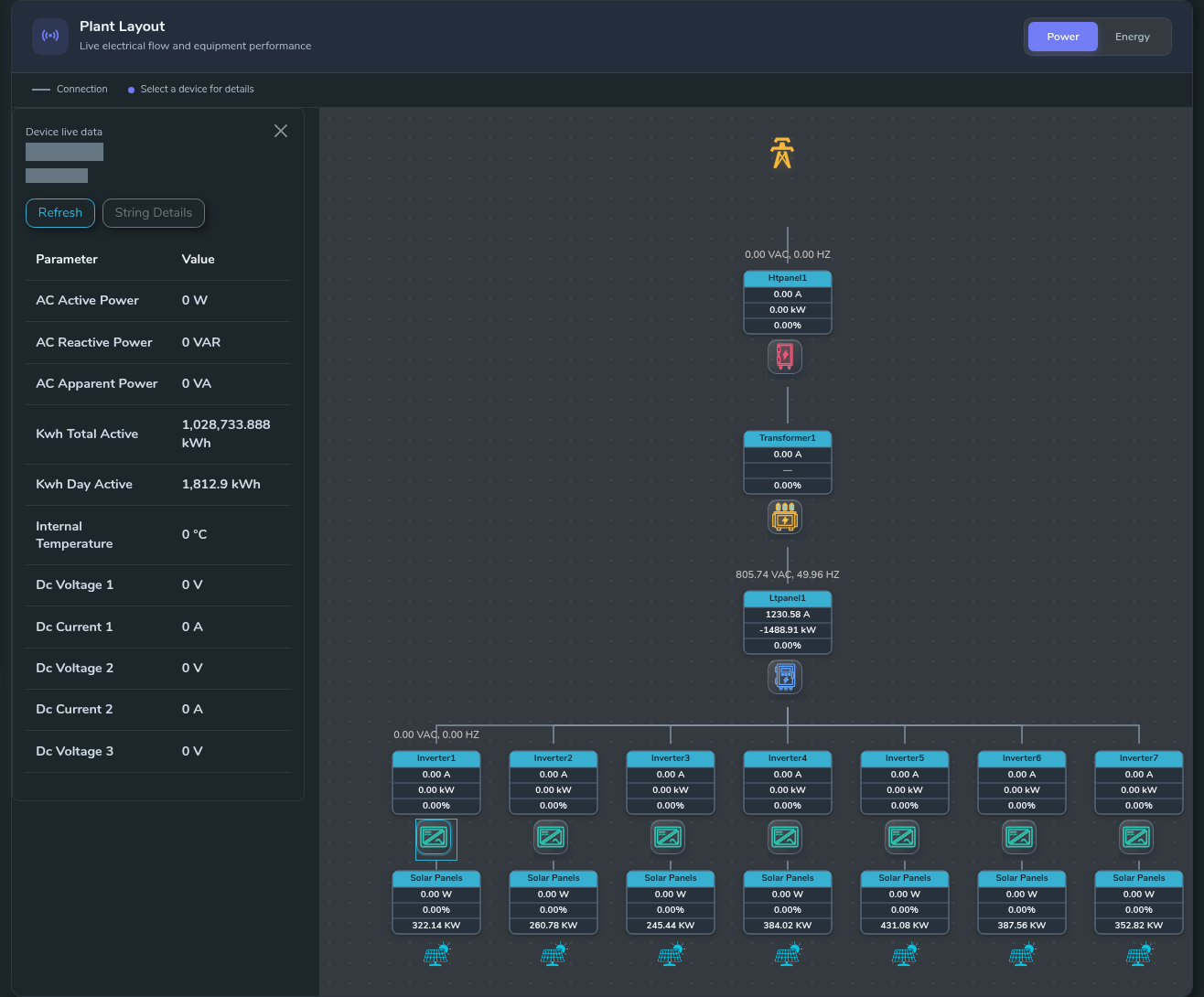
Plant Layout · Device Live Data
Open a device’s live-data panel directly from its position in the plant layout.
SEMS PLATFORM · 02
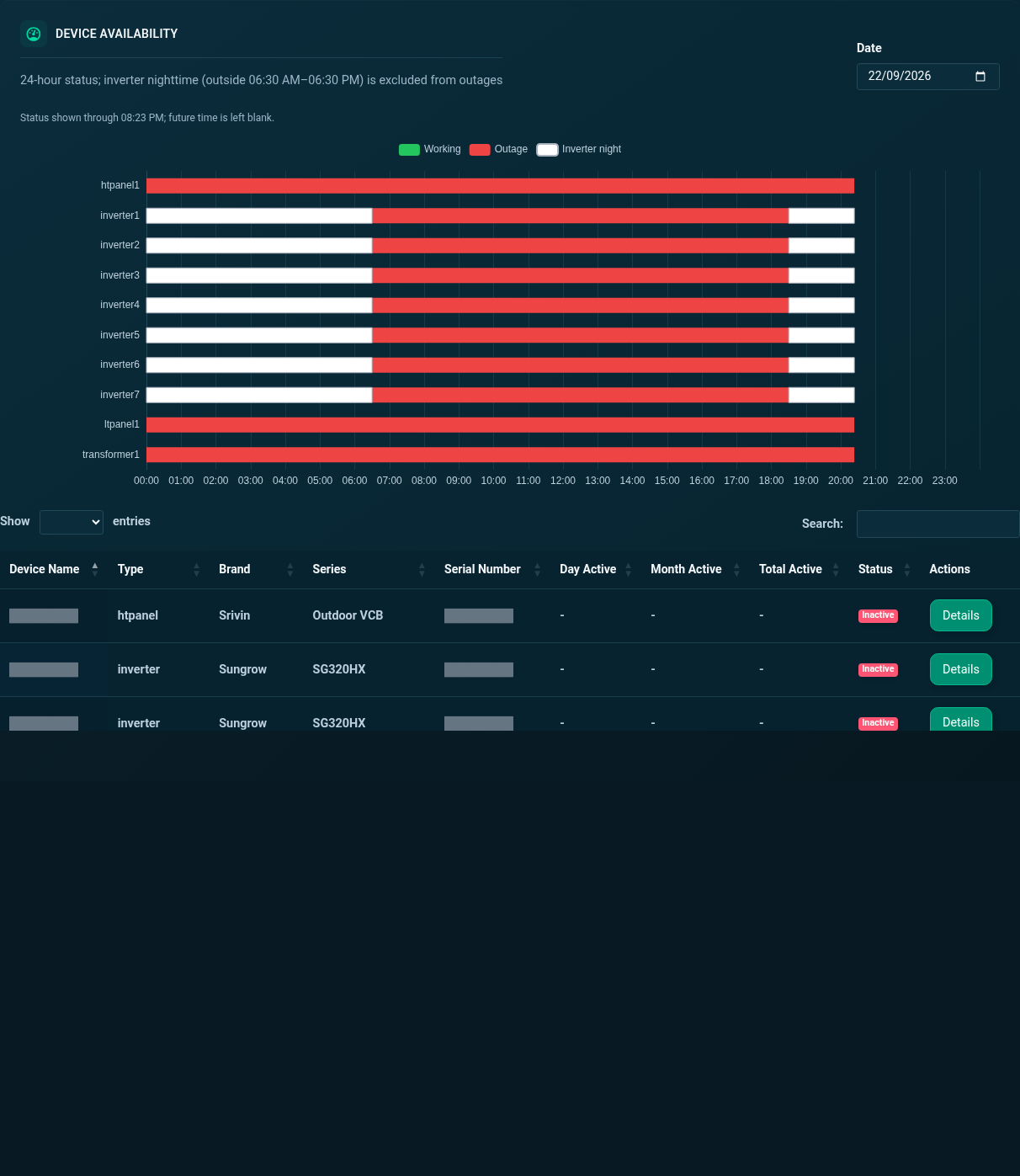
Site Devices · Availability and List
Review device availability across the day, then browse the site’s equipment list and activity status.
SEMS PLATFORM · 03
Device Live Data · Inverter
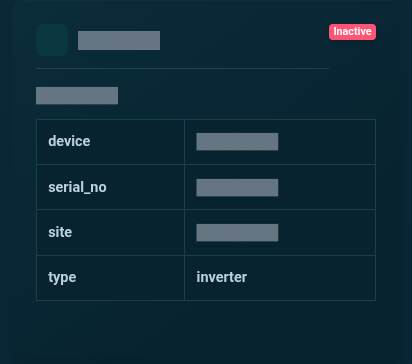
Inspect the latest inverter telemetry in a dedicated device card. The image is cropped to the upper readings for clarity, with identifying fields masked.