Real-Time Energy Monitoring
Real-time energy monitoring gives operators a current view of the information reaching the monitoring platform. It helps answer immediate questions about generation, electrical values, equipment availability and site conditions. Its value comes from showing the reading together with enough context to judge whether it is recent and relevant.
SEMS brings site and device information into dashboards that support this review. The system includes generation indicators, electrical measurements, availability views and routes into historical data. A live screen is most useful when the team also understands how data is collected, which devices are expected to report, and what to do when information stops arriving.
What does real-time monitoring mean in practice?
“Real time” does not mean that every device and every screen updates at precisely the same instant. A reading passes through collection, communication and processing before it appears. The practical update interval depends on the source and the deployment. A dashboard therefore needs to be interpreted as a view of incoming telemetry, not a guarantee of uninterrupted instantaneous measurement.
Begin every review by checking freshness. If a site shows no change, determine whether the value is genuinely steady or simply old. Compare the last update with the expected reporting interval, then inspect communication and availability information. Agree on these expectations during implementation so that operators can recognize a gap without guessing how often a point ought to change.
Start with current generation and site state
The site overview in SEMS offers a starting point for checking generation and the condition of the monitored installation. From there, operators can open a site dashboard and inspect the equipment or electrical view relevant to the question. This avoids treating a site-level number as the only evidence available.
For a solar operation, a routine check could ask whether reporting devices show the expected start of generation and whether the latest values are consistent across the site. For another electrical installation, it might focus on available panel readings and the state of the measurement sources. The correct interpretation depends on the installation; a zero value is not enough to establish a fault.
Move from the overview to the device
Device-level visibility helps a reviewer narrow an investigation. SEMS includes live data cards for inspected device categories and general-information profiles with available electrical parameters. A team can use these views to compare the selected device with the broader site state, rather than relying entirely on a portfolio total.
An operator investigating a change should note the device, measurement unit and reporting time before drawing a conclusion. Where related measurements exist, check whether they tell a consistent story. A current value and an energy total have different meanings, even if they appear on the same screen. The device monitoring solution explains this distinction in the context of equipment telemetry.
Detect unusual behavior with supporting evidence
A live dashboard can make a change visible sooner than a periodic manual review, but a visible change still needs interpretation. Unusual values, communication gaps and differences between comparable devices are prompts for investigation. They should be checked against operating conditions, known work at the site and the reliability of the data source.
Use alarm and fault information as part of that evidence. If an event occurs around the same time as a change in output, record the relationship and decide what additional information is needed. The alarm monitoring workflow supports a disciplined approach to prioritization. No screen should be treated as authorization to change equipment without the site's established operating procedures.
Connect the live view with historical context
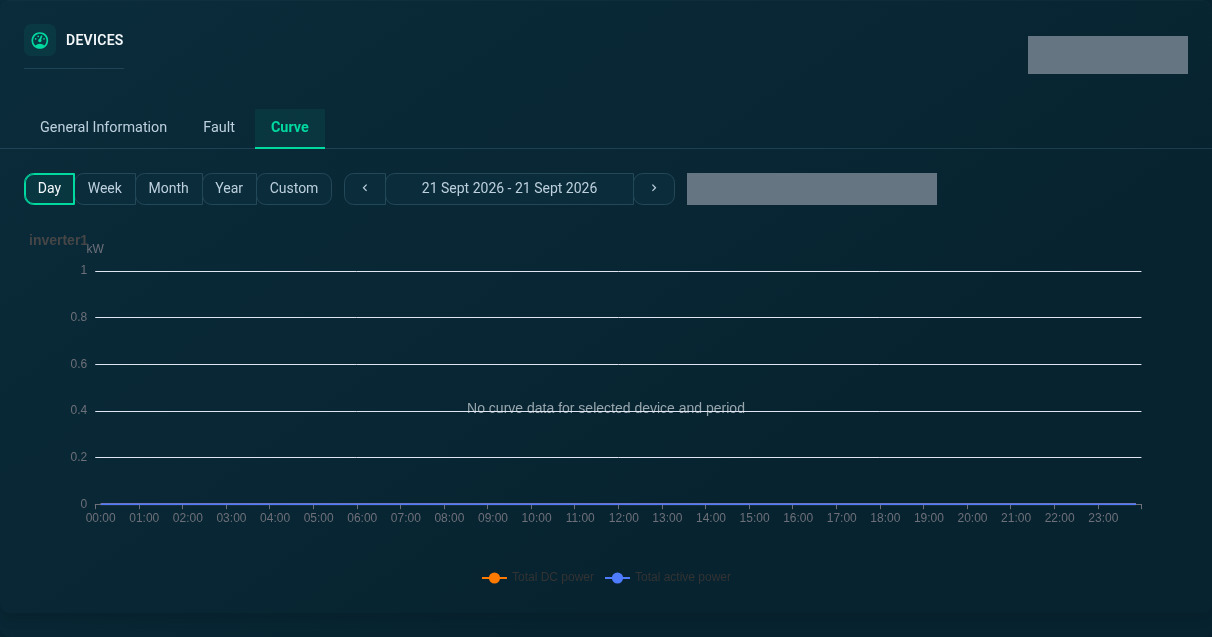
The current reading tells you where an investigation starts; a historical curve can help explain how the situation developed. SEMS includes time-range controls for device curves, making it possible to move from a current observation to a view of the selected period. A daily profile may reveal a short interruption, while a longer period may show repetition.
Check that the historical interval contains enough data before comparing it with another period. Different operating hours, missing samples or a partial current day can make a chart look unusual without establishing underperformance. Energy Analytics and Reporting explains how to structure those comparisons so that the resulting conclusions are useful to the people responsible for operations.
Practical uses during a normal working day
A shift handover can begin with the sites that need attention, the freshness of their data and the events still under review. The incoming team can then inspect the relevant device screens rather than repeating the entire discovery process. Clear references to the site, device and time period help people share the same operational context.
Remote oversight is another use case. A reviewer can inspect the monitored information before deciding what a local colleague should check. This can make a site conversation more specific, although it does not replace field observation or establish that remote control is available. For distributed assets, IoT and Remote Energy Monitoring covers the communication and workflow considerations behind remote visibility.
Plan a live dashboard around operator questions
Select measurements because they answer useful questions. A dashboard overloaded with unrelated values can make review harder, particularly when labels and units are inconsistent. Agree on the points needed for a routine check, the indicators that deserve attention, and the path into supporting detail.
During a SEMS demo, ask to see a normal reporting state, a missing-data state and a historical review. Discuss update intervals, collection responsibilities and the users who need access. Request a demonstration with a brief equipment list and your operating priorities. The platform walkthrough provides real examples of the screens available for that conversation.
Frequently asked questions
Can SEMS provide real-time monitoring?
SEMS displays incoming site and device telemetry. The effective freshness and update interval depend on data collection, connectivity and the configured deployment.
Which current values can operators see?
The inspected screens include generation indicators, electrical readings, device availability and site information. The values available at a particular installation depend on its data sources.
Does a zero reading always indicate a problem?
No. Zero can reflect the operating state, the time of day, a measurement convention or missing information. Check freshness and related evidence before interpreting it.
Can a live observation be compared with history?
SEMS includes historical curve views and period controls. These help investigate how a condition developed, subject to the data available for the selected interval.
Does remote monitoring include equipment control?
Remote visibility and equipment control are different capabilities. This website describes monitoring; any control requirement needs a separate technical and operational assessment.
Clear operational context
Actionable performance trends
Real SEMS application screens. Private information has been masked; readings reflect the capture time.
SEMS PLATFORM · 01
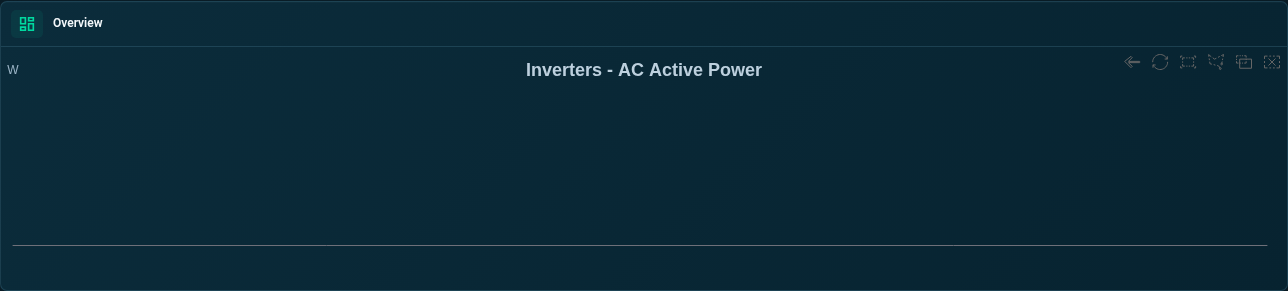
Inverter Live Power Chart
Follow an inverter’s power chart and choose a viewing date and device.
SEMS PLATFORM · 02
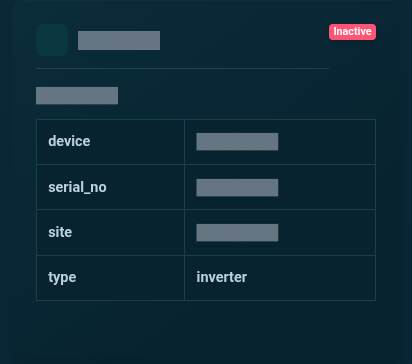
Device Live Data · Inverter
Inspect the latest inverter telemetry in a dedicated device card. The image is cropped to the upper readings for clarity, with identifying fields masked.
SEMS PLATFORM · 03
Device Curve · Day
Explore the day view of the selected inverter’s power curve. The previous day is selected in this capture.