SCADA Integration for Energy Monitoring
SCADA integration for energy monitoring concerns how information from site systems can be made available for a broader operational view. SCADA refers to supervisory control and data acquisition: the collection and presentation of process information within an operational system. In an energy project, the integration discussion should begin with the data needed and the responsibilities of each system.
SEMS provides centralized solar and energy monitoring views, including site dashboards, electrical equipment information and a visual plant layout. It can be evaluated as a complementary monitoring layer where an appropriate data connection is established. This page does not claim that SEMS replaces an existing SCADA system or provides every supervisory control function.
Separate monitoring from control responsibilities
Monitoring and control are related concepts, but they have different operational consequences. A monitoring interface presents information for review. A control system may issue commands or participate in operating equipment. The presence of a device on a diagram does not prove that it can or should be controlled through that interface.
Define these boundaries explicitly during planning. Identify which system remains responsible for local operation and which information is needed in the centralized view. The SEMS screenshots used on this website were captured through read-only browsing. No remote switching, protective function, automatic control sequence or equipment-command capability is promised by the marketing content.
Start with the required data, not a protocol list
An integration scope should describe the measurements and states the users need to see. Examples include current electrical values, generation totals, equipment reporting state and available events. For each item, identify the source, units, update expectation and intended use in the monitoring interface.
Only then assess how the information can be exchanged. Existing systems may expose data through different interfaces, and their availability depends on the installation and permissions. No universal protocol or connector support is claimed here. Provide documentation for the actual source systems so that the feasibility, mapping and responsibilities can be reviewed for the proposed SEMS deployment.
Understand the acquisition path
A displayed value may pass through several stages before reaching the user. There is a field source, a collection method, a communication path and a presentation layer. An investigation becomes easier when the team understands where a delay or missing value could occur along that path.
Document the ownership of each stage. If a measurement stops updating, the reviewer should know which part of the path to check and which team can provide the relevant information. IoT and Remote Energy Monitoring discusses these communication considerations in more detail. A useful integration delivers understandable data, not merely a connection that exists on an architecture diagram.
Use electrical and layout views to explain the site
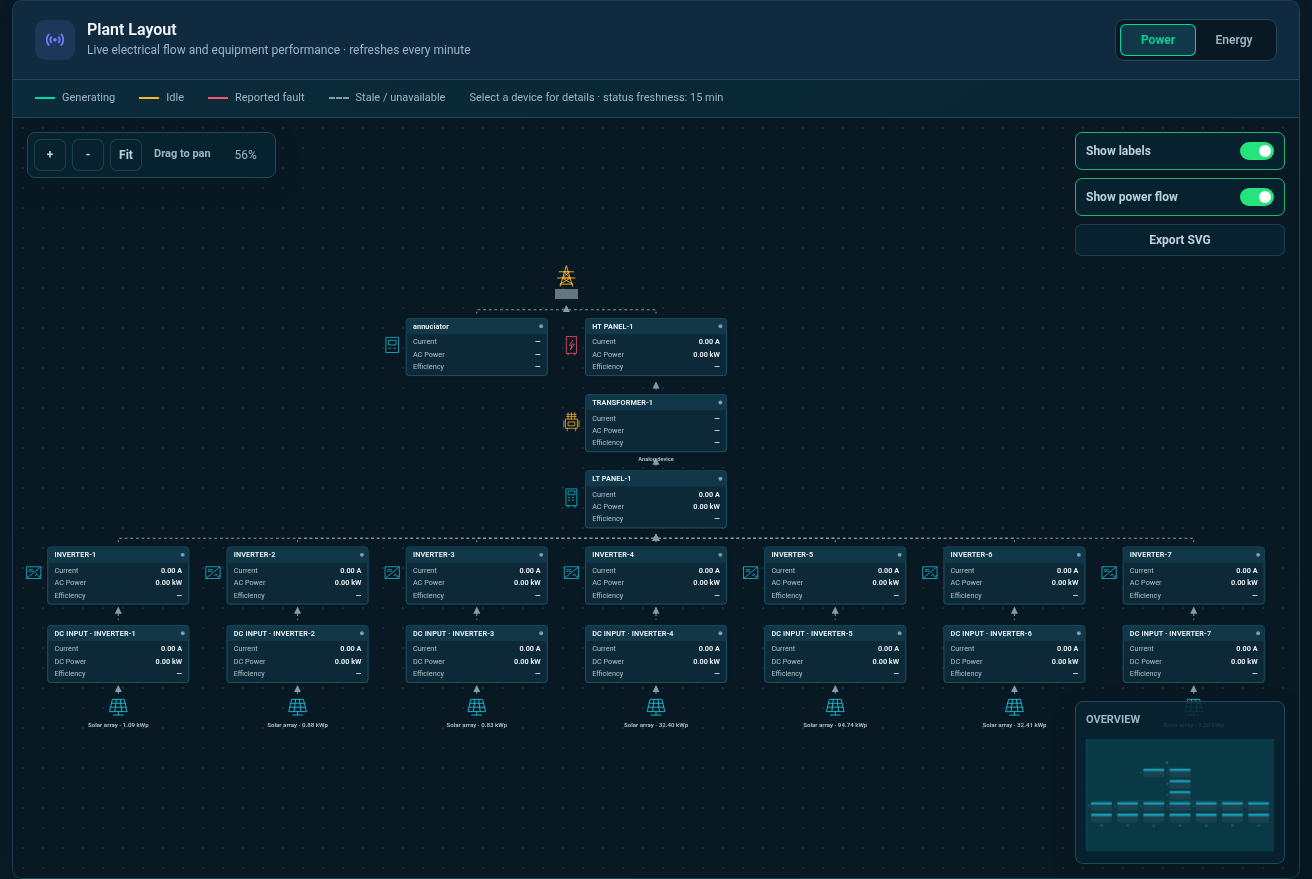
The inspected SEMS interface includes a plant layout with Power and Energy modes, selected-device telemetry, LT and HT panel screens, and transformer-related information. These views can help users relate measurements to the monitored equipment and move between the site representation and individual values.
The diagram should be treated as the configured monitoring representation. Its usefulness depends on accurate equipment relationships and point mapping. During a demo, confirm what the displayed values mean and whether the layout reflects the information required for your operational questions. Do not infer a complete engineering drawing, protective model or validated electrical design from a marketing screenshot.
Plan local and centralized visibility deliberately
Some projects begin with an established local monitoring arrangement and a need for broader visibility. Others start by reviewing how field information will reach a centralized platform. Local and cloud-oriented possibilities should be considered in relation to connectivity, access requirements, operating responsibilities and the systems already in use.
The available SEMS hosting and integration arrangement must be confirmed for the project. This website does not promise an on-premises edition, an offline mode or a particular cloud architecture. State these requirements early so that the review can establish what is supported and where another component or a different approach would be needed.
Preserve measurement meaning across systems
A value can be transferred correctly and still be interpreted incorrectly. Units, sign conventions, scaling and timestamps must remain consistent with the intended use. A label such as power or energy needs a defined boundary and period before it becomes useful in a cross-system dashboard.
Create an agreed point list and review representative values against the source. Document how unavailable data is shown and how users distinguish a stale reading from a valid current one. The Energy Monitoring System page explains why these definitions matter when meters and electrical panels are brought into one operational view.
Use integration to support practical operations
An industrial team may want a shared view of measurements that are currently reviewed in separate places. A solar operator may want to connect site information with a central generation review. A portfolio team may need consistent reporting context while leaving local operational responsibilities with each installation.
These are monitoring use cases, not evidence of a particular existing connector or completed customer deployment. Evaluate the interface using the actual data and decisions involved. A successful review should explain what the user can see, how recent it is, where it came from and how to investigate an unexpected observation without confusing monitoring access with control authority.
Prepare for a technical integration discussion
Bring a high-level architecture description, the relevant equipment inventory and a list of the information required in SEMS. Identify the source-system owner, the intended users and any constraints on access or data movement. Share documentation through an appropriate process; do not put passwords, private endpoints or access tokens into a general enquiry.
Contact Sybel Micro Solutions about SEMS integration. The next step is to establish the available interfaces, the point mapping and the scope of the demonstration. Use the platform screenshots to identify the electrical, layout and device views that would help your team, then confirm their fit with the intended site architecture.
Frequently asked questions
What is SCADA monitoring?
It is the review of process or equipment information within a supervisory control and data acquisition context. The monitoring role should be distinguished from commands and control responsibilities.
Does SEMS replace an existing SCADA system?
No such replacement is claimed here. SEMS can be evaluated as a complementary monitoring platform where the data connection and project requirements are supported.
Which protocols are supported?
A protocol list is not published without verification. Provide the actual source-system interfaces and equipment documentation for project-specific technical assessment.
Can SEMS provide remote equipment control?
This website describes monitoring views. Any control requirement is separate and must be assessed explicitly; it should not be inferred from a device or layout screen.
Can a local system feed a centralized view?
That is a relevant integration objective. Its feasibility depends on the source interfaces, access, data definitions, connectivity and the deployment arrangement agreed for the project.
The screenshots below show the captured application’s plant layout and electrical monitoring views. External SCADA compatibility and supported protocols must be confirmed during technical discovery.
Clear operational context
Actionable performance trends
Real SEMS application screens. Private information has been masked; readings reflect the capture time.
SEMS PLATFORM · 01
Plant Layout · Power
Follow the plant’s electrical connections from grid and panel equipment to inverters and solar panels in Power mode.
SEMS PLATFORM · 02
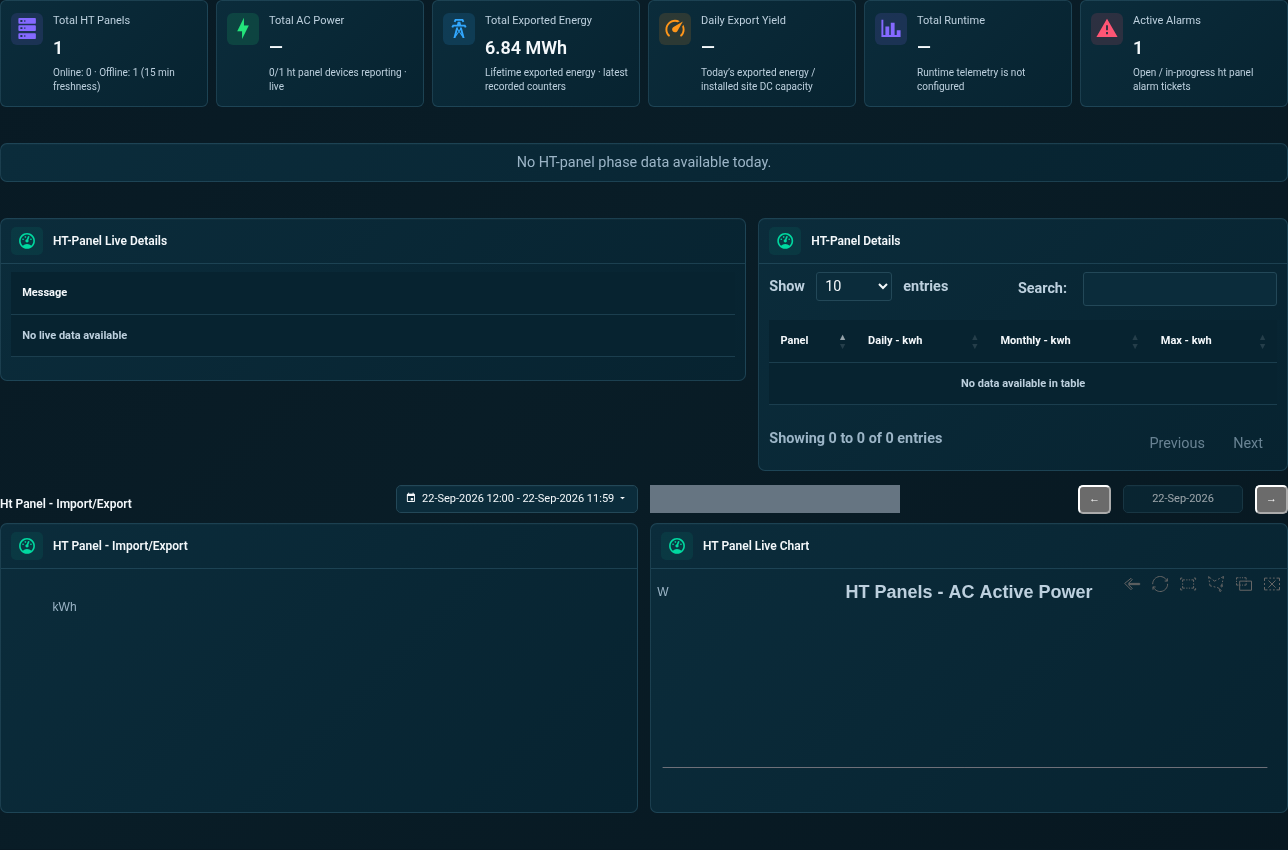
Site Dashboard · HT Panel
Inspect HT panel electrical indicators, live readings, import/export totals and historical charts.
SEMS PLATFORM · 03
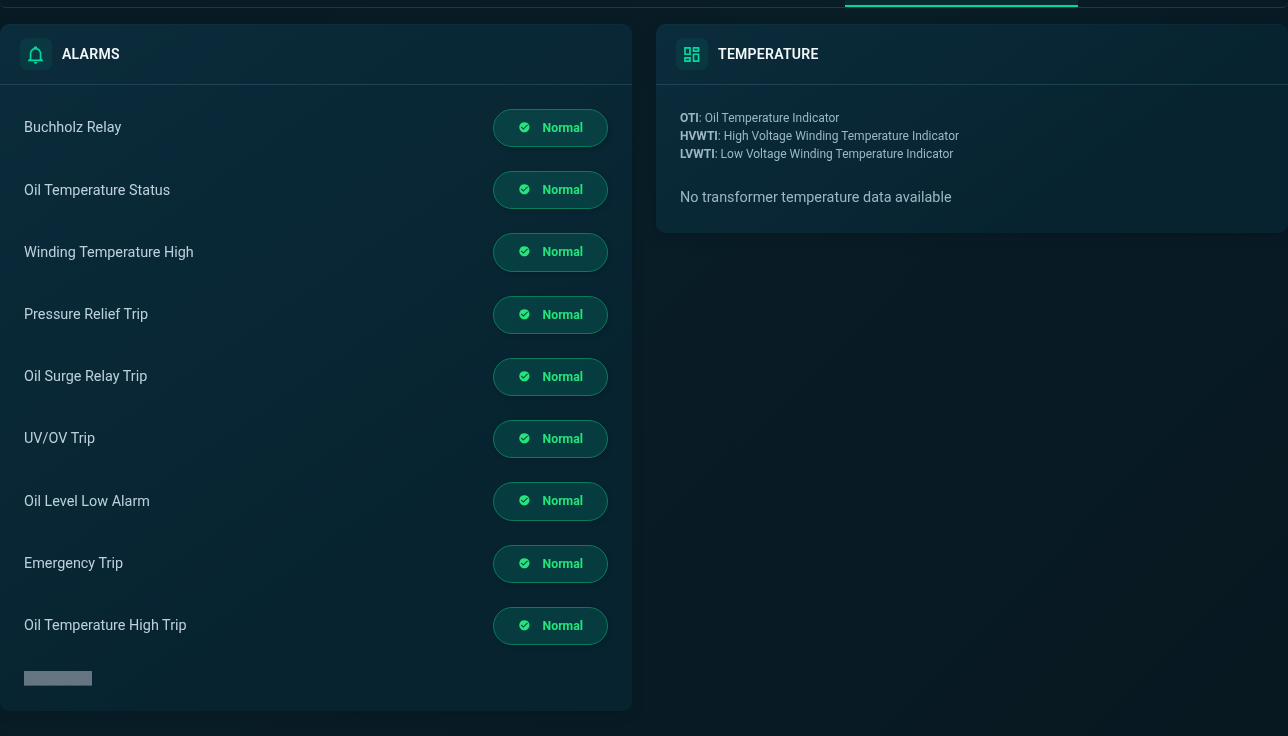
Transformer Alarms and Temperature
Review transformer alarm indicators and temperature channels. Missing readings remain visible as no-data states.