Solar Energy Monitoring System
Solar energy monitoring turns measurements from a solar installation into information people can use. It connects the question “How much did we generate?” with the equally important questions “Is the data current?”, “Which equipment needs attention?” and “How does this period compare with another?” SEMS provides a centralized interface for reviewing sites, devices, alarms and generation trends.
SEMS, a product of Sybel Micro Solutions, brings these views together without removing the need for sound engineering judgment. A low reading might reflect weather, an equipment condition, a communication gap or the time of day. The purpose of a useful monitoring system is to make those possibilities easier to investigate, with enough context to decide what to check next.
What is solar energy monitoring?
A solar energy monitoring system collects and presents information about generation and the equipment associated with it. Power describes the rate of generation at a moment; energy describes production accumulated over a period. Keeping those concepts separate prevents a common mistake: treating a brief high-power reading as proof of a strong day of production.
At a plant, measurements may come from inverters, meters and other connected equipment. The monitoring scope depends on which data points are available and how the installation is configured. Start with a clear measurement boundary: inverter output, a collection panel and the grid connection can represent different parts of the electrical system. Comparing them requires attention to units, timestamps and the meaning of each point.
Follow generation and understand the site state
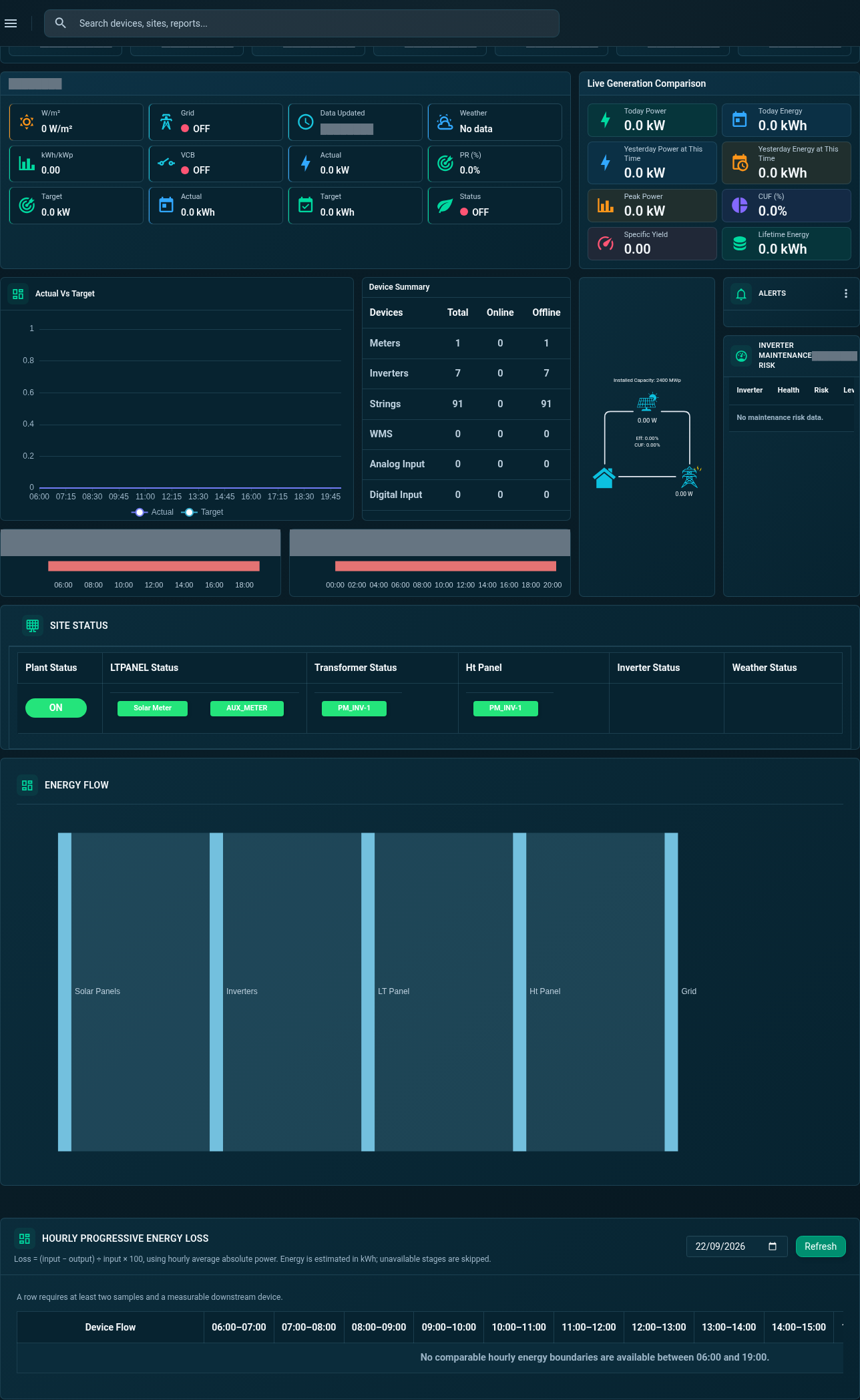
The SEMS site dashboard includes generation indicators, equipment summaries and views of electrical flow. Operators can begin with the overview, inspect the latest readings, and move into the relevant equipment tab. The application also exposes device availability and communication status, which help distinguish an operational observation from a missing-data problem.
A morning check might ask whether generation has started, whether expected devices are reporting, and whether any alarms need review. Later, the same team can inspect the shape of a daily curve and compare it with another period. “Real time” here means visibility into incoming data; the practical freshness of a reading depends on field collection and communication. Always consider the last update alongside the value.
Investigate inverters and connected strings
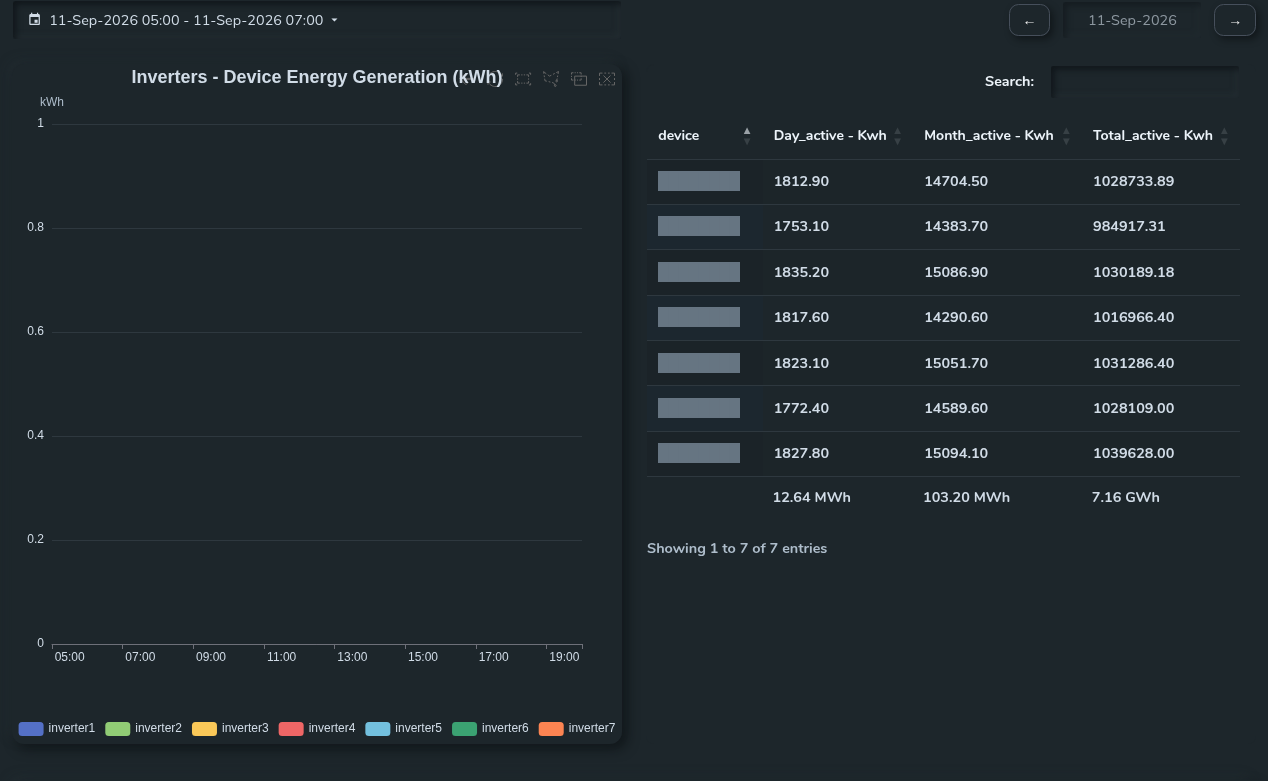
A site total can conceal differences between devices. The inverter views in SEMS include generation comparisons, live readings, string connection information, and power or temperature charts where data is available. These screens support a more focused question: is a change shared across the site, or concentrated around one piece of equipment?
For example, several inverters may follow a similar daily pattern while one shows a different shape. That is a reason to inspect its status, fault information and available measurements, not a diagnosis on its own. Configuration, orientation, loading and environmental conditions can all affect comparisons. The Device and Inverter Monitoring page explains how device-level context supports a site investigation.
Compare daily, monthly and longer-term generation
Historical views help separate isolated events from recurring patterns. SEMS includes day, week, month and year curve controls, with a custom date-range interface. A daily view can reveal a gap or a change in the production profile. A longer interval can help a team see whether an issue is repeated or whether a period deserves a more detailed review.
Use comparable periods and document any missing readings. A partial day should not be compared with a completed day as though the collection windows were identical. Similarly, raw generation does not normalize for installed capacity, operating conditions or weather. A useful review records these assumptions before drawing conclusions. Learn more about organizing those comparisons in Energy Analytics and Reporting.
Use alarms to guide operational attention
Alarm monitoring adds event context to generation data. The application includes alarm history and ticket views, including pending and resolved records. These can support an agreed workflow for deciding who investigates an issue, what evidence is needed, and when an event can be considered understood. The presence of a record does not, by itself, mean that field work has been completed.
Communication failures deserve particular attention because a stale value can otherwise look like a stable condition. Operators should check freshness before interpreting zero output, then examine related devices and events. Notification channels, thresholds and response arrangements should be confirmed for the intended deployment. The Alerts and Alarms solution describes the monitoring side of this workflow without assuming a particular escalation service.
Bring several solar sites into one review process
Portfolio teams need both a broad view and a reliable route into local detail. SEMS presents site overviews alongside individual site dashboards, allowing a reviewer to move from a portfolio question to the relevant generation, equipment or alarm screen. This is useful when different people are responsible for local operations and central reporting.
A practical portfolio review begins by checking data coverage, then selecting sites that need investigation. It should avoid ranking unlike plants using output alone. Agree on the comparison period, measurement boundary and known differences before using a chart to prioritize work. Multi-Site Energy Monitoring explains how to organize a consistent review across distributed installations.
Build a monitoring scope around useful decisions
Before a demonstration, prepare a site list, an equipment inventory and the questions your team needs to answer. Identify who checks the dashboard, who interprets device conditions, and who prepares operational reports. This keeps the conversation focused on usable information rather than a long collection of unrelated measurements.
A solar monitoring project can begin with generation visibility and expand its scope after data quality has been established. Agree on units, update expectations and the report periods that matter to your operation. Review the real SEMS platform screens, then request a solar monitoring demo with your priorities. Device compatibility and the final deployment arrangement require technical review.
Frequently asked questions
What is a solar energy monitoring system?
It is a system for collecting and reviewing generation, equipment and operational information from a solar installation, so teams can understand output and investigate changes.
How does SEMS monitor solar plants?
SEMS presents available site and device telemetry through dashboards, generation views, equipment screens and alarm records. The collection arrangement depends on the equipment and project scope.
Can multiple solar plants be monitored?
SEMS includes site overview and individual site views. The number of sites, access arrangements and data collection requirements should be agreed for the deployment.
Can SEMS monitor inverter performance?
The application includes inverter readings, generation comparisons, string information and historical curves. Available detail depends on the connected equipment and data points.
Does SEMS provide alarms?
SEMS includes alarm and fault views as well as ticket status lists. The alarm sources, thresholds and any notification arrangements need to be confirmed during project planning.
Can generation reports be downloaded?
The inspected application includes report categories and a reporting interface. Confirm required export formats, permissions and report delivery during a demo; a specific download format is not promised here.
Clear operational context
Actionable performance trends
Real SEMS application screens. Private information has been masked; readings reflect the capture time.
SEMS PLATFORM · 01
Site Dashboard · General
Review actual-versus-target generation, device summaries, operational status and energy information in the General dashboard.
SEMS PLATFORM · 02
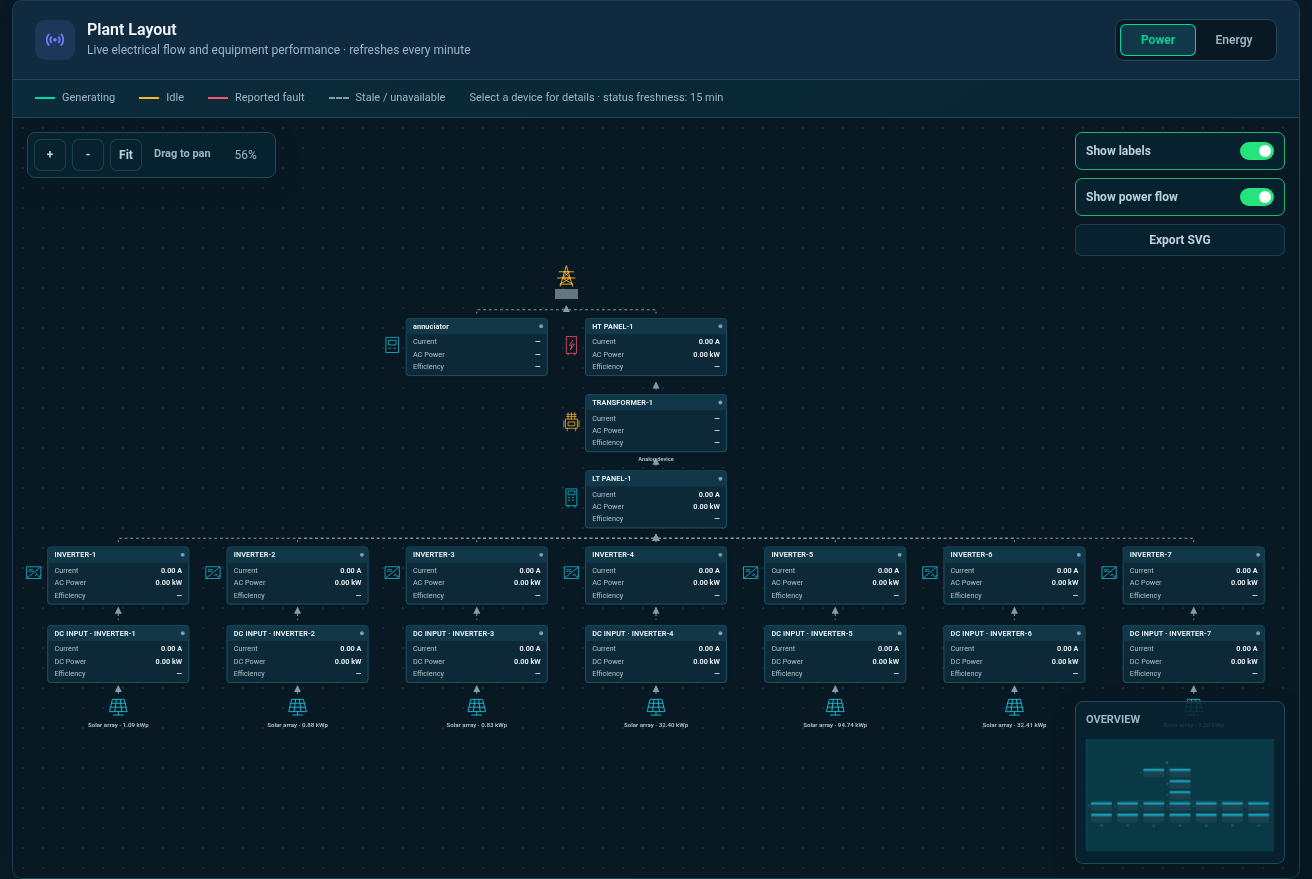
Plant Layout · Power
Follow the plant’s electrical connections from grid and panel equipment to inverters and solar panels in Power mode.
SEMS PLATFORM · 03
Inverter Generation Comparison
Compare inverter generation curves with the daily, monthly and total energy table.