Energy Alerts and Alarm Monitoring
Energy alarm monitoring helps a team recognize and investigate conditions that deserve attention. It connects an event with the affected equipment, its time context and the people responsible for reviewing it. The purpose is not simply to accumulate alarm records; it is to make operational attention more consistent and better informed.
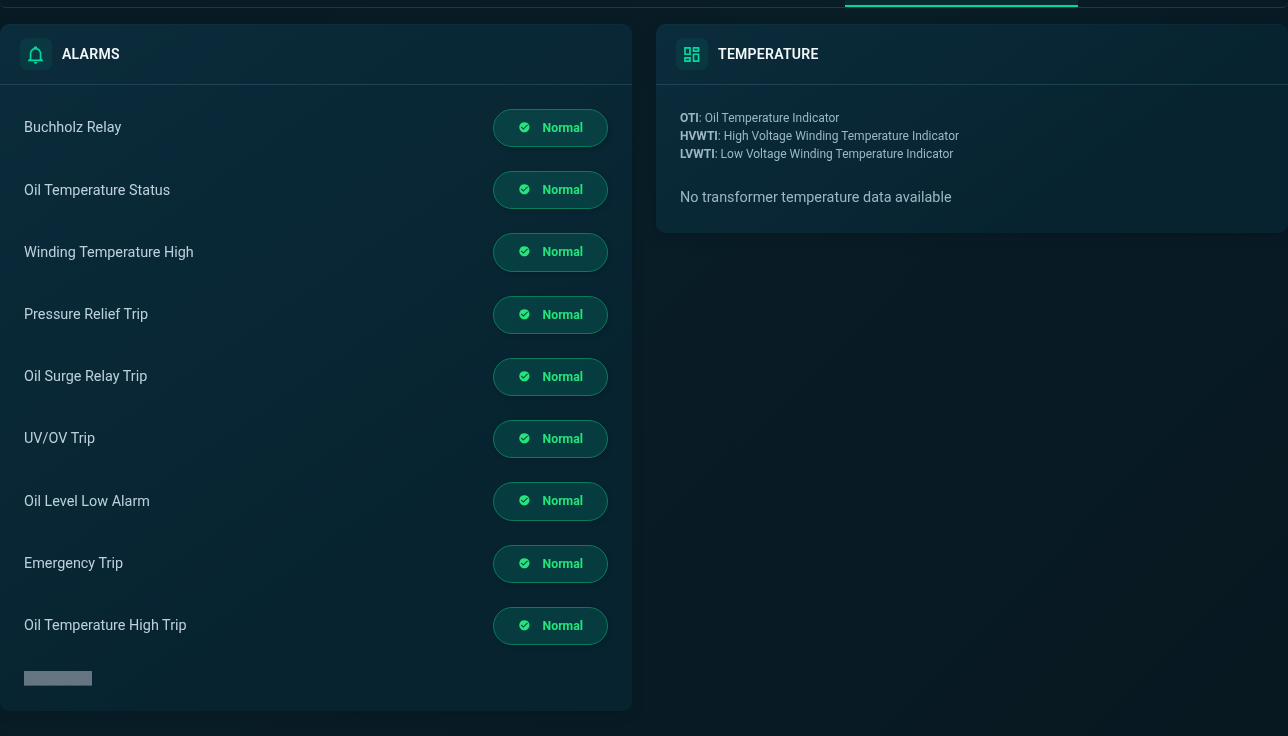
SEMS includes alarm views, device fault information and ticket lists separated into pending and resolved work. The inspected transformer screen also presents named alarm conditions alongside temperature information. These views provide operational context, while the exact alarm sources, thresholds and response arrangements depend on the deployment.
Distinguish a condition, an alarm and a response
A measured condition is an observation. An alarm is a signal that a configured or device-reported condition needs attention. A response is the action taken by an authorized person or process. Treating these as separate stages makes an alarm workflow easier to understand and avoids assuming that a visible record proves a problem has been corrected.
The same discipline applies to ticket status. A resolved record can help document the review process, but its meaning depends on the team's agreed procedures and the evidence recorded. Establish what constitutes investigation, escalation and closure before relying on status labels for operational reporting. SEMS provides the interface context; the organization must define the responsibilities around it.
Recognize device and communication events
Device alarms can indicate a condition reported by equipment, while communication events concern the availability of information. The distinction matters because a missing measurement can be mistaken for a normal or zero value. Operators should check whether data is current before using it to interpret the condition of a plant.
An example review begins with an unexpected site observation, then checks whether related devices are reporting. If several sources stop updating together, the communication path may deserve investigation alongside the equipment itself. If one device remains different while others report normally, its local information may be more relevant. The real-time monitoring page explains how freshness supports this decision.
Put thresholds and priorities into context
An alarm threshold only becomes useful when the measurement and expected operating range are understood. The correct threshold may depend on equipment, site conditions and the period being reviewed. A value that deserves attention in one context may be expected in another. Confirm which conditions originate in the device and which are configured in the monitoring arrangement.
Prioritization should reflect operational relevance, not just the number of records. Ask what information is affected, whether the event is repeated, whether related equipment shows a change, and which role should review it. This website does not promise a particular configurable rule engine or notification channel. Those requirements should be demonstrated and agreed for the intended SEMS deployment.
Use history to understand recurring events
Alarm history allows reviewers to look beyond the latest event. Repetition can help identify a condition that needs a more structured investigation, especially when the same equipment or time period is involved. The review should also consider whether repeated entries represent a continuing situation or genuinely separate occurrences.
Connect that history with generation and device curves where the relevant data exists. A time relationship can help focus an investigation, but it is not proof of causation. Keep notes about what was checked and which evidence supported the conclusion. Energy Analytics and Reporting provides a complementary approach to using historical information in a repeatable operational review.
Organize pending and resolved work
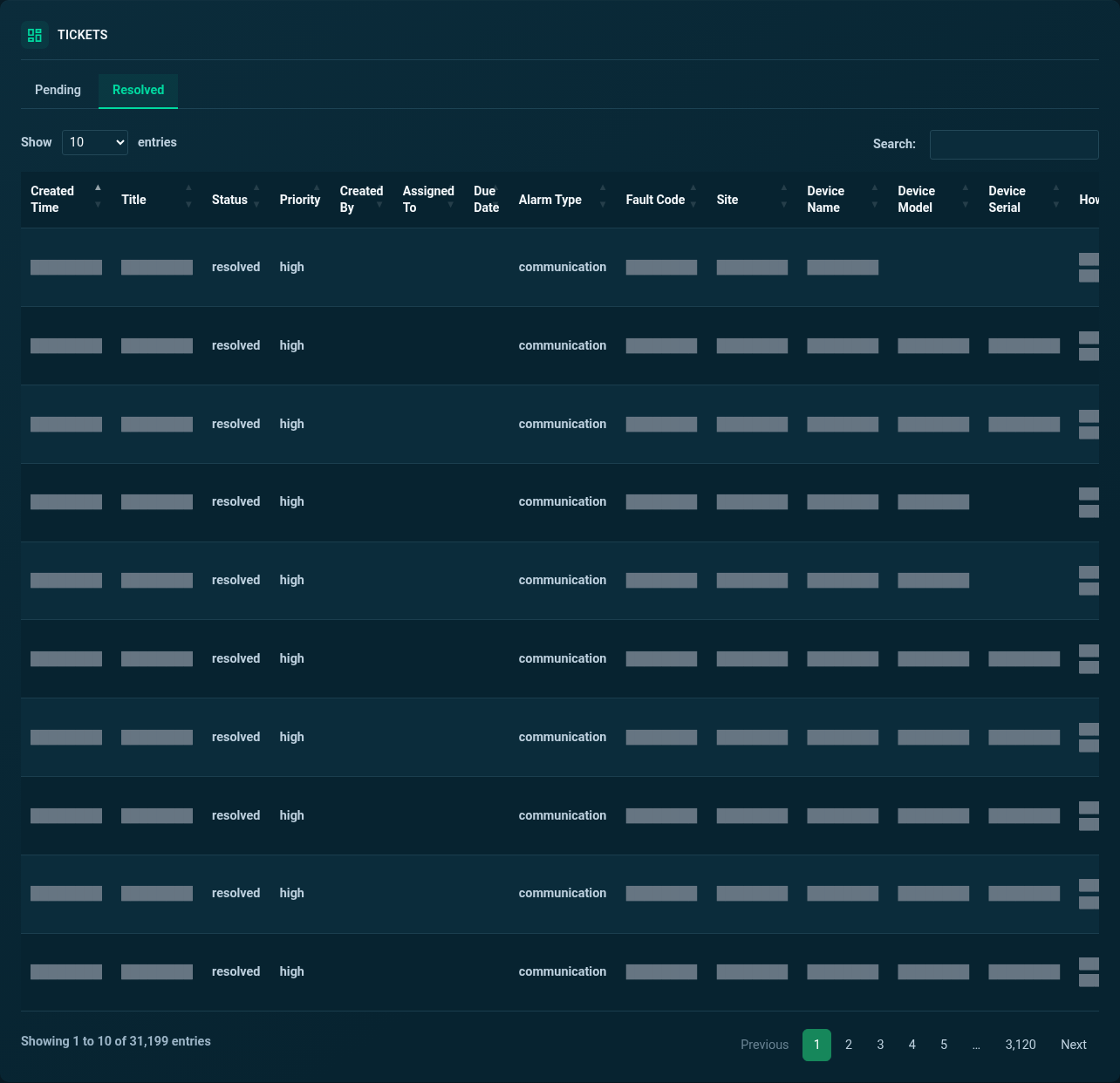
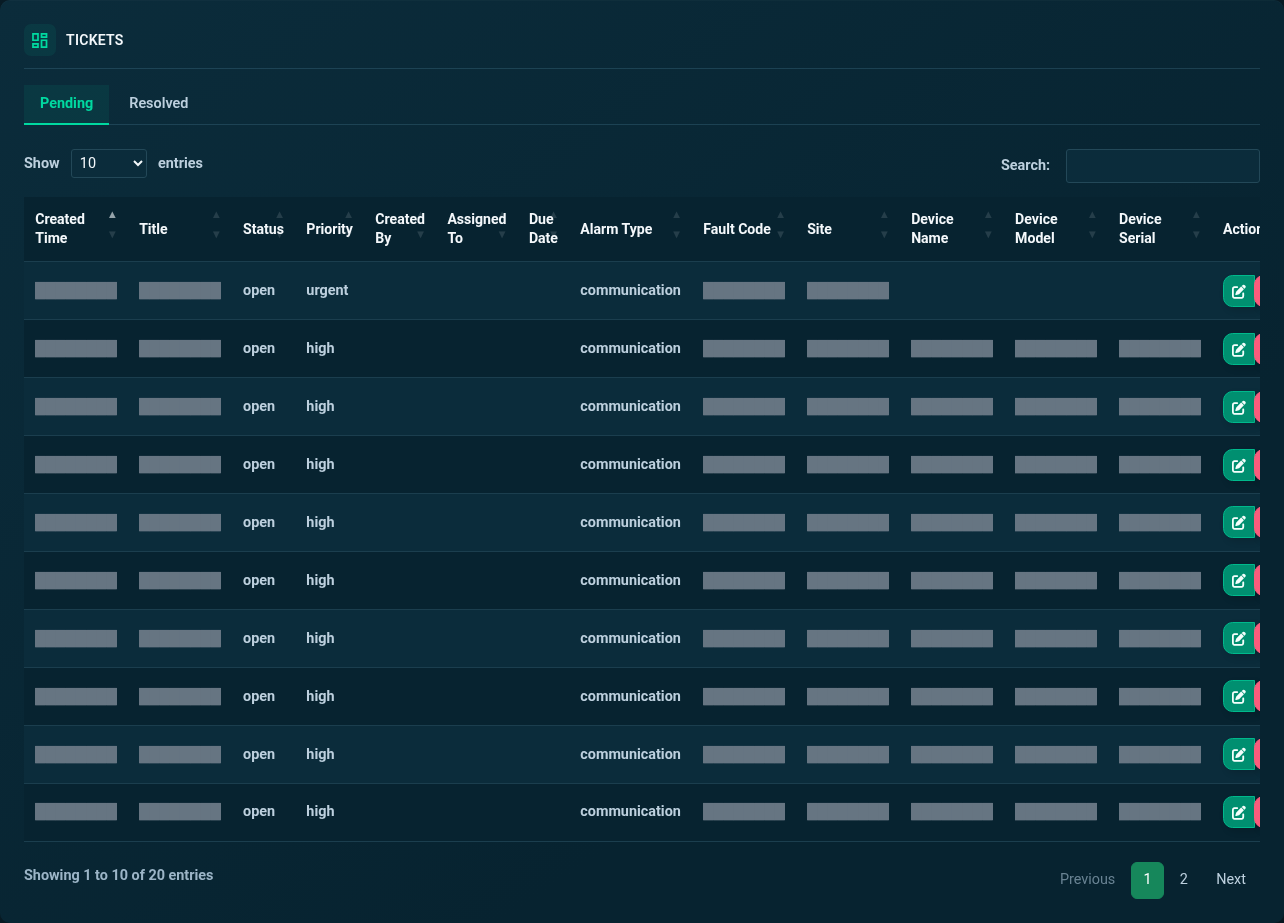
The SEMS ticket interface includes pending and resolved lists with status, priority and alarm-type information. This makes it possible to review work in different stages without treating every record as an equally urgent open issue. Customer details and free text are masked in the public screenshots, while the actual interface structure remains visible.
A useful handover identifies the event, the responsible team, the evidence already collected and the next question to answer. A closure review should establish whether the monitoring information returned to an expected state and whether further observation is needed. These are suggested operational practices, not a promise of automated dispatch, service-level guarantees or an external maintenance integration.
Support downtime investigation without promising outcomes
Earlier visibility can help a team decide what to investigate, but monitoring alone does not reduce downtime. The outcome depends on the quality of the data, the response process, access to equipment and the action taken. A well-defined workflow makes these dependencies explicit rather than attributing every improvement to a dashboard.
For example, a reviewer may use a communication event to ask a local operator to check the relevant data path, or use device fault information to prepare a more specific service discussion. The goal is a clearer, evidence-based exchange. Equipment changes must remain within the site's authorized procedures; viewing an alarm screen does not establish permission to operate the equipment.
Define the alarm scope during a demonstration
Bring examples of the conditions your team needs to recognize. Describe which events currently create uncertainty, who reviews them, and how the result of an investigation is recorded. Ask to see the relevant SEMS screens and confirm which data sources supply the alarm information.
Also discuss retention, access, filtering and any notification requirements. Email, SMS, messaging integrations and mobile push should not be assumed from the presence of an alarm list. Contact Sybel Micro Solutions about SEMS to review the intended workflow, and use the platform screenshots to identify the alarm, fault and ticket views you want to explore.
Frequently asked questions
How are alerts used in energy monitoring?
They draw attention to reported or configured conditions that need review. Their usefulness depends on clear priorities, reliable data and an agreed response process.
Does SEMS show device faults?
The application includes device fault views and alarm-related screens. Available conditions depend on the equipment and the information supplied to the platform.
Can communication failures be investigated?
SEMS includes availability and communication-related information. Review it alongside timestamps and related devices to distinguish missing data from an equipment measurement.
Are notification channels included?
No channel is promised by this page. Confirm email, SMS or other delivery requirements during a demo and include the agreed behavior in the deployment scope.
Can alarm history help reduce downtime?
It can support investigation and prioritization. Downtime outcomes depend on operational response and site conditions, so the presence of alarm history does not guarantee a reduction.
Clear operational context
Actionable performance trends
Real SEMS application screens. Private information has been masked; readings reflect the capture time.
SEMS PLATFORM · 01
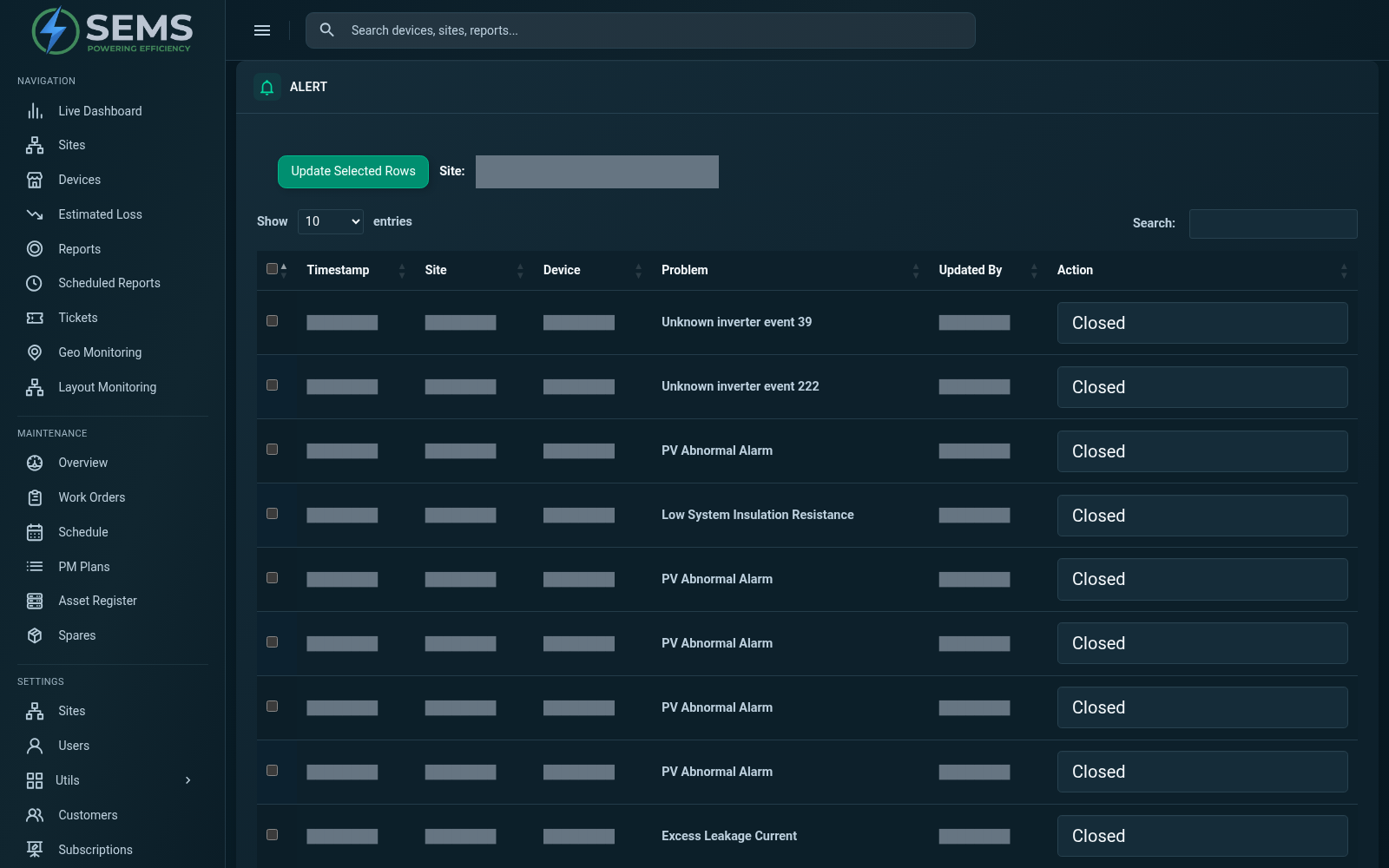
Alerts & Alarms
Review recorded equipment problems and their current status in the alarm history. Site filters help narrow the view to the equipment you need to investigate.
SEMS PLATFORM · 02
Transformer Alarms and Temperature
Review transformer alarm indicators and temperature channels. Missing readings remain visible as no-data states.
SEMS PLATFORM · 03
Tickets · Pending
Review pending tickets by status, priority and alarm type. Customer details and free-text messages are masked.
SEMS PLATFORM · 04
Tickets · Resolved
Review the resolved-ticket list separately from pending work, with identifying information masked.