What to Measure in a Solar Monitoring Program
Published by Sybel Micro Solutions
Published: 10 September 2026 · Updated: 11 September 2026
A useful monitoring program starts with consistent measurement. Track generation and equipment information over clearly defined reporting periods, and establish which measurement boundary each value represents. A chart becomes more useful when a reviewer can explain its source and coverage.
Establish the baseline
Confirm meter boundaries, units and sampling expectations before comparing periods or sites. Weather, installed configuration and operating conditions can affect output, so raw generation alone does not explain performance. Identify the reference used for a comparison and document its limitations.
Check reporting availability
A missing or stale source can make a total incomplete. Review timestamps and device availability before interpreting a production difference. A zero reading should be checked against the operating state and data freshness rather than treated as a diagnosis.
Choose indicators for a question
Generation totals, power profiles and device comparisons answer different questions. Select the period that makes the observation understandable. If a daily curve reveals a gap, inspect related device and alarm information before assigning a cause.
Make alerts actionable
Define ownership for the event categories your team reviews and distinguish a pending investigation from a resolved record. A useful handover includes the site, device, period and checks already performed. Clear responsibilities help people respond consistently without assuming that an alarm count measures completed work.
Link the review to the product
SEMS, a product of Sybel Micro Solutions, includes site, device, generation and historical views that support this approach. Explore Solar Energy Monitoring, Analytics and Reports, and the real platform screens.
For a longer explanation, read why real-time solar monitoring matters. Request a demo with your equipment and reporting priorities to confirm the available measurements and project-specific requirements.
Frequently asked questions
What is the difference between solar power and solar energy?
Power describes the rate of generation at a moment, typically expressed in kilowatts. Energy describes production accumulated over a period, typically expressed in kilowatt-hours. Comparing them without their units and time context can be misleading.
Why should data availability be reviewed with generation metrics?
Missing or stale readings can resemble low generation. Reviewing data availability helps distinguish a measurement gap from a change in plant operation before the team interprets a performance trend.
How can a team make its reporting more consistent?
Agree on measurement points, units, reporting periods and the treatment of missing data. Use those definitions across dashboards and operational reviews so different people interpret the same metric in the same way.
Related SEMS Solutions
Real SEMS application screens. Private information has been masked; readings reflect the capture time.
SEMS PLATFORM · 01
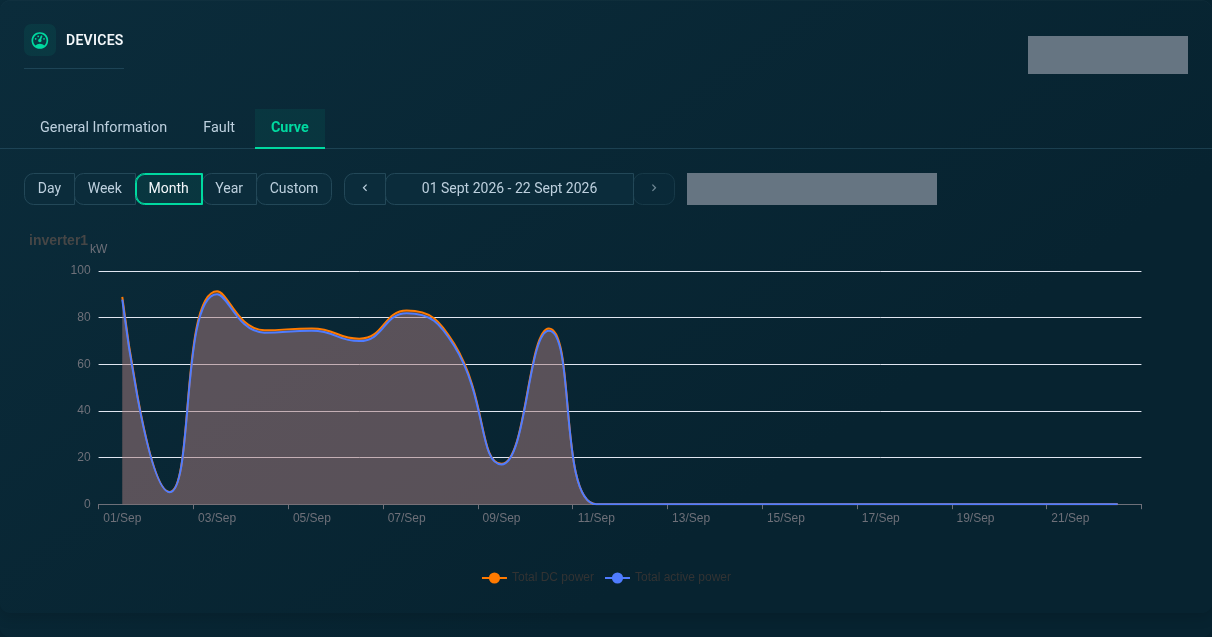
Device Curve · Month
Explore the month view of the selected inverter’s power curve.
SEMS PLATFORM · 02
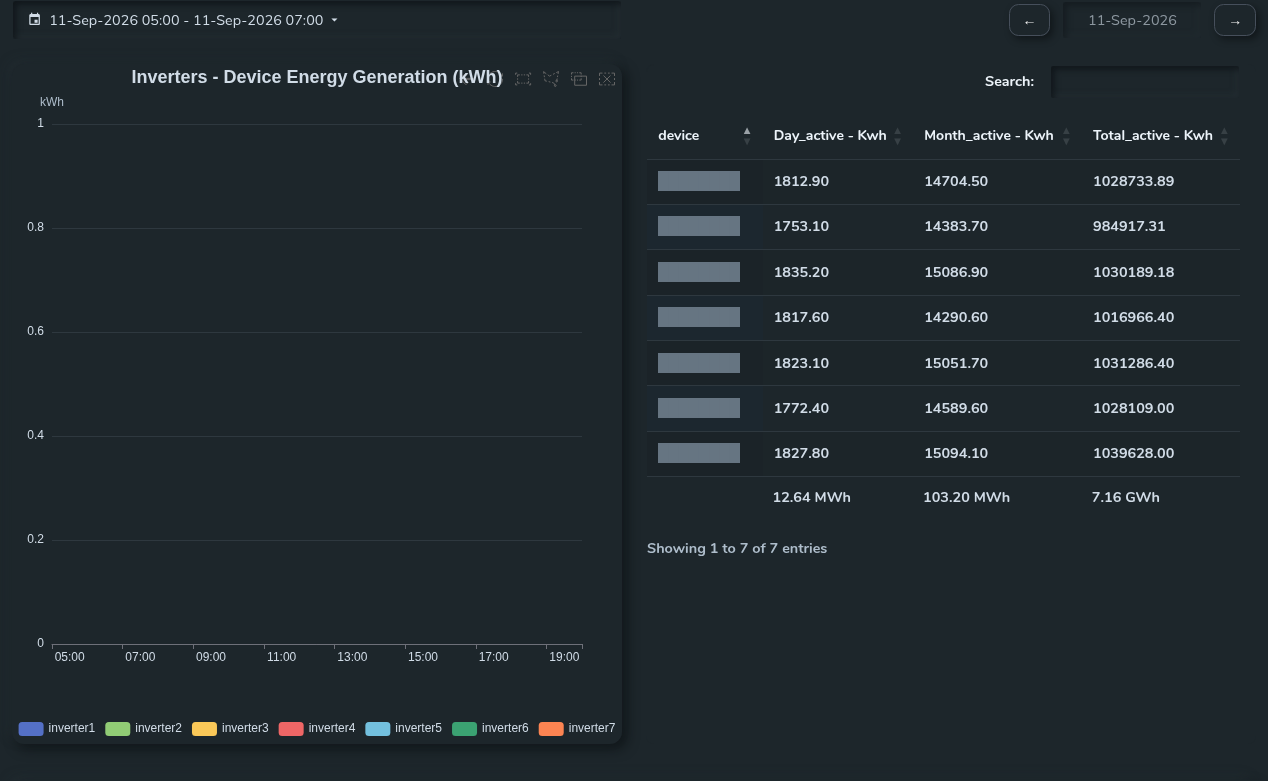
Inverter Generation Comparison
Compare inverter generation curves with the daily, monthly and total energy table.